
Developer Workflow

Scaffold Stacks provides a streamlined development experience with live reloading, auto-generated bindings, and comprehensive testing.

Edit contracts → see live updates

Open any .clar file in your contracts/contracts/ directory and add a function:
(define-public (multiply (n uint))
  (begin
    (var-set counter (* (var-get counter) n))
    (ok (var-get counter))))
Redeploy to see changes (generate runs automatically):
stacksdapp deploy --network testnet
The multiply function appears in the debug UI with typed inputs after redeployment.

Add a new contract

Create new contracts with built-in templates:
# Blank contract
stacksdapp add relayer

# SIP-010 fungible token
stacksdapp add token --template sip010

# SIP-009 NFT
stacksdapp add nft --template sip009
Each command:
  • Creates the .clar file in contracts/contracts/
  • Updates Clarinet.toml
  • Regenerates all TypeScript bindings
  • Updates the debug UI

Run tests

Test both contracts and frontend:
stacksdapp test
This runs:
  • Contract tests in contracts/tests/ (Clarinet SDK)
  • Frontend tests in frontend/ (Vitest)

Type-check contracts

Validate Clarity syntax and types:
stacksdapp check

Iterate and redeploy

Since Stacks contracts are immutable, redeploying creates versioned contracts:
stacksdapp deploy --network testnet
# Creates counter-v2, counter-v3, etc.
The CLI handles versioning automatically.

Project structure

my-app/
├── contracts/
│   ├── Clarinet.toml
│   ├── settings/
│   │   ├── Devnet.toml    # Pre-funded local accounts
│   │   ├── Testnet.toml   # Add your mnemonic
│   │   └── Mainnet.toml   # Add your mnemonic
│   ├── contracts/
│   │   └── counter.clar   # Your Clarity contracts
│   └── tests/
│       └── counter.test.ts
└── frontend/
    ├── .env.local         # Auto-managed network config
    └── src/
        ├── app/
        ├── components/
        │   └── WalletConnect.tsx
        └── generated/     # Auto-generated bindings
            ├── contracts.ts
            ├── hooks.ts
            ├── DebugContracts.tsx
            └── deployments.json

Auto-code generation

The stacksdapp generate command:
  1. Parse: Extract ABIs from all contracts using initSimnet()
  2. Normalize: Convert Clarity types to TypeScript (uint128 → bigint, tuples → objects)
  3. Render: Generate contracts.ts, hooks.ts, and DebugContracts.tsx
  4. Write: Update files only if content changed (fast hot reload)
The file watcher runs this automatically on every .clar save during stacksdapp dev.

Frontend Features

Scaffold Stacks automatically generates a complete frontend development environment:

Debug UI

A live debug interface is auto-generated from your contracts, allowing you to interact with all contract functions on-the-go. Every public function gets a typed input form, and read-only functions display results directly.
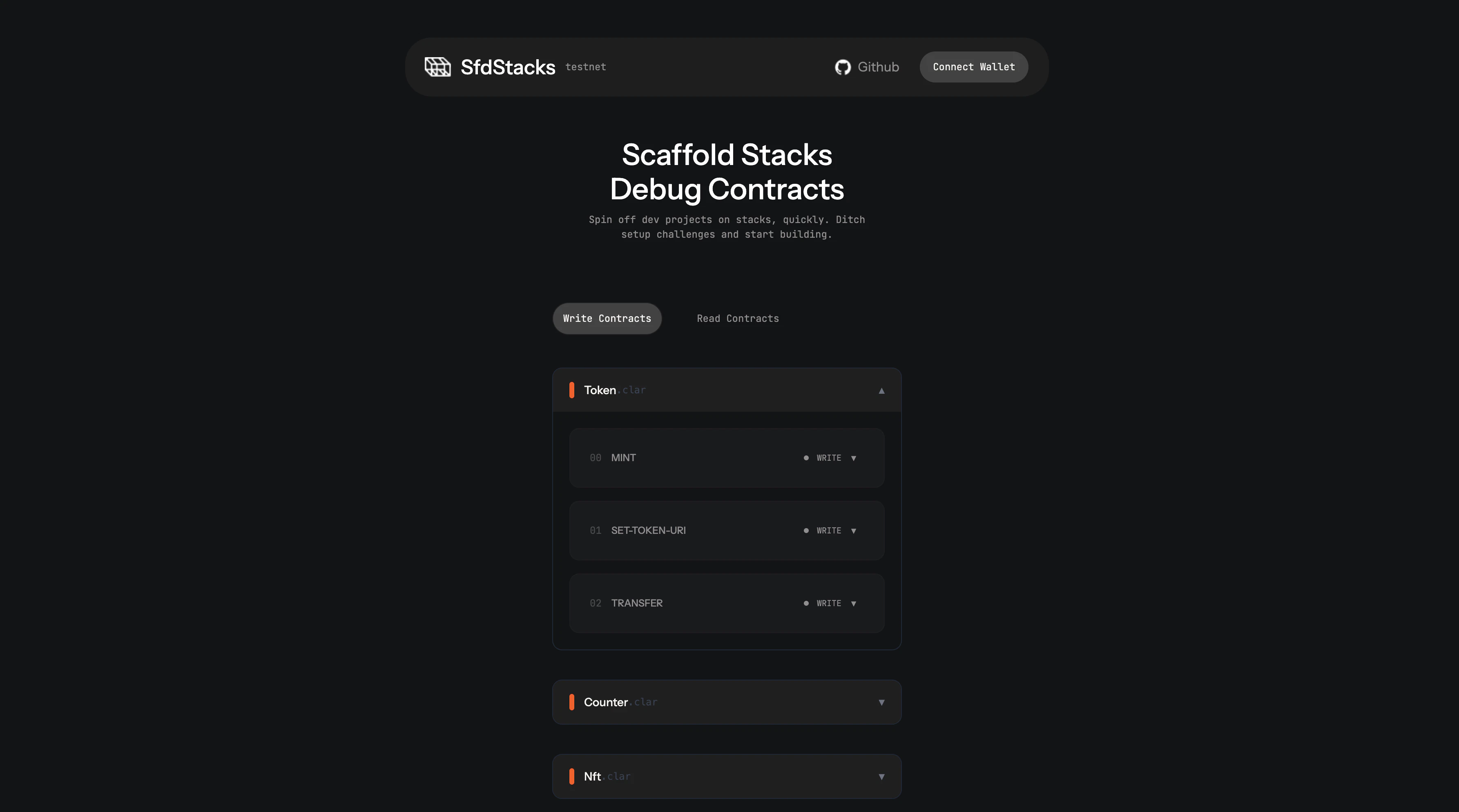
Debug UI showing contract interaction forms

Reusable Hooks

Type-safe React hooks are generated for each contract function, making it easy to integrate contract calls throughout your application:
import { useCounterIncrement } from '@/generated/hooks'

function CounterComponent() {
  const { data, loading, call } = useCounterIncrement()
  
  return (
    <button onClick={() => call([{ n: 1 }])}>
      {loading ? 'Incrementing...' : 'Increment'}
    </button>
  )
}

Wallet Connect Component

A reusable WalletConnect.tsx component handles wallet connections with support for Leather and Xverse wallets, including automatic network detection.

State Management

Jotai atoms are used for global state management, providing a simple and powerful way to manage application state across components.

Local development

For offline development with full Bitcoin + Stacks simulation:
stacksdapp dev  # Starts local devnet + frontend + watcher
Requires Docker. Pre-funded accounts available in Devnet.toml.